
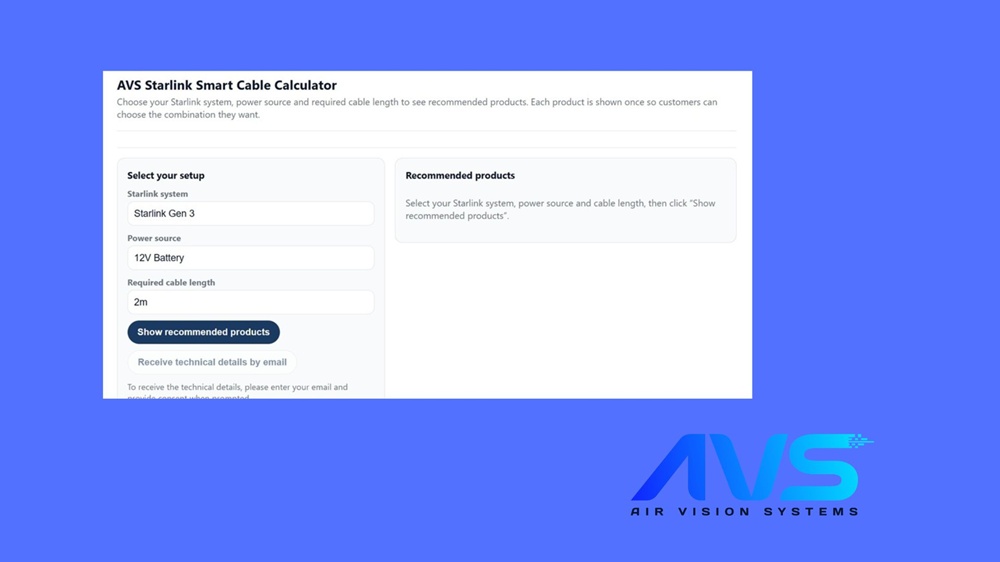
If you have landed on the AVS Starlink Smart Cable Calculator and are not quite sure where to start, you are in the right place. This guide walks you through exactly how to use it – what each field means, how to read the results, and why the recommendations are backed by real electrical engineering rather than guesswork.
And if you run a website that serves Starlink users – whether you are an installer, a caravan dealer, an off-grid solar retailer, or a Starlink community blog – there is a section at the end showing you how to add the calculator to your own site in about two minutes.
The AVS Smart Cable Calculator was built to solve a problem that comes up constantly: people buying the wrong cable, or no cable at all, because they did not know what their setup actually needed. Get the cable wrong and you are either running too little power to your dish, dealing with voltage drop across a long run, or simply ending up with a cable that does not fit your power source. The calculator removes all of that uncertainty.
It covers both Starlink Gen 3 and Starlink Mini, across every common power source – from 12V vehicle batteries and portable power stations through to mains adapters and step-up converters. You enter three things, click a button, and it tells you exactly what to order.
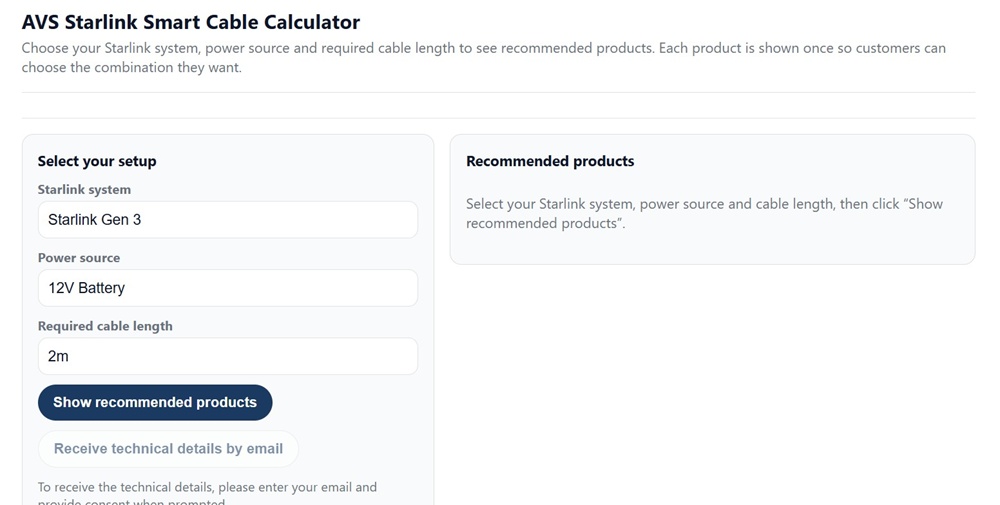
The Air Vision Systems AVS Starlink Smart Cable Calculator – select your setup on the left, view recommended products on the right.
What Does the Air Vision Systems AVS Cable Calculator Actually Do?
The Air Vision Systems Starlink Smart Cable Calculator takes three inputs – your Starlink model, your power source, and the cable length you need – and matches them against a database of compatible Air Vision Systems products. It then shows you exactly which cables and accessories will work for your setup, along with the technical reason why.
This is not a generic product filter. The recommendations are built on the engineering compliance reports produced for Air Vision Systems by a registered electrical engineer, which calculate safe cable lengths, voltage drop thresholds, and current requirements for both Starlink Gen 3 and Starlink Mini across every supported power source. When the calculator tells you that a particular cable works at 46 metres on a 30V supply, that figure comes from verified electrical calculations – not a rough estimate.
The result is a tool that gives both first-time buyers and experienced installers a fast, accurate answer without needing to read a technical report first. The report is there if you want it. The calculator gives you the bottom line.
Step One: Choose Your Starlink System
The first field asks you to select your Starlink system. Currently the calculator supports two models – Starlink Gen 3 and Starlink Mini.
If you are unsure which one you have, the easiest way to check is the size and shape of the dish. The Starlink Gen 3 is the larger rectangular dish designed for fixed and semi-permanent installs – homes, boats, caravans, and commercial vehicles. The Starlink Mini is the compact, portable version roughly the size of a laptop, designed for travel and mobile use.
The two models have different power requirements, which is exactly why the calculator treats them separately. Starlink Gen 3 runs at higher voltages through a PoE connection, while Starlink Mini supports 30V DC and 20V USB-C Power Delivery. Selecting the wrong model here would point you toward the wrong cables entirely, so it is worth taking thirty seconds to confirm which one you have before proceeding.
Not sure which Starlink model you own? Air Vision Systems has a dedicated guide to help you identify your dish.
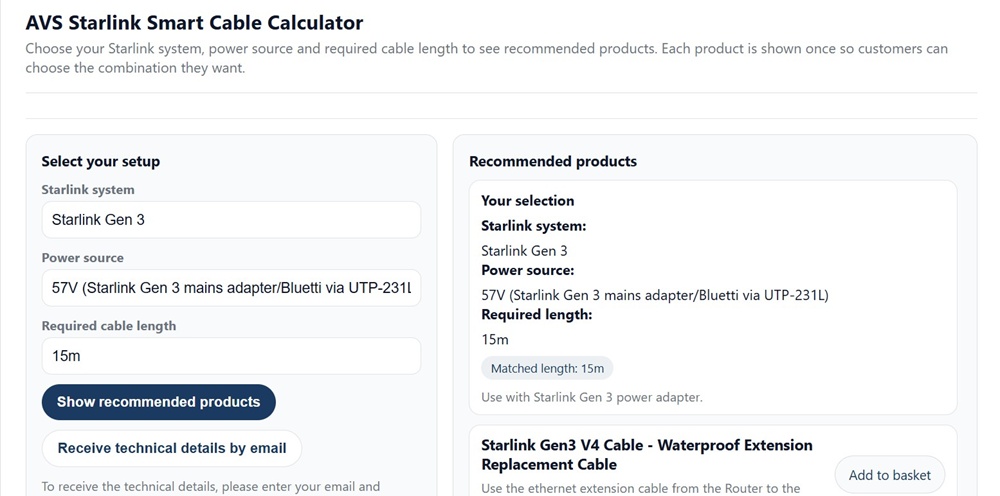
Starlink Gen 3 selected with the 57V mains adapter power source – the native voltage of the official Starlink Gen 3 adapter.
Step Two: Select Your Power Source
The power source field is where most people need to stop and think for a moment, because the options reflect the real-world variety of ways people power their Starlink systems. The list covers everything from standard mains adapters through to 12V vehicle batteries, 24V truck supplies, portable power stations, and step-up converters.
Here is a quick guide to the most common options and which one applies to your situation.
Starlink Gen 3 power sources
If you are running Starlink Gen 3 from mains power using the standard Starlink adapter, select the 57V option. This is the native output voltage of the official Starlink Gen 3 mains adapter and gives you the longest possible compliant cable runs. If you are running from a 12V battery or portable power station via a step-up converter, select the voltage that your converter outputs – typically 48V or 57V.
Starlink Mini power sources
The Starlink Mini supports more input options than Gen 3. If you are powering it from a mains adapter or a Bluetti-style portable power station via the UTP-231L adapter, select the 30V option. If you are using a USB-C Power Delivery port from a power bank or mains PD adapter, select the 20V USB-C PD option. For 12V vehicle supplies or cigarette lighter sockets, the calculator will direct you toward a step-up converter solution. For 24V truck batteries, select the 24V option.
If you are genuinely unsure what voltage your power source outputs, check the label on your adapter or power station. The output voltage is almost always printed directly on the unit.
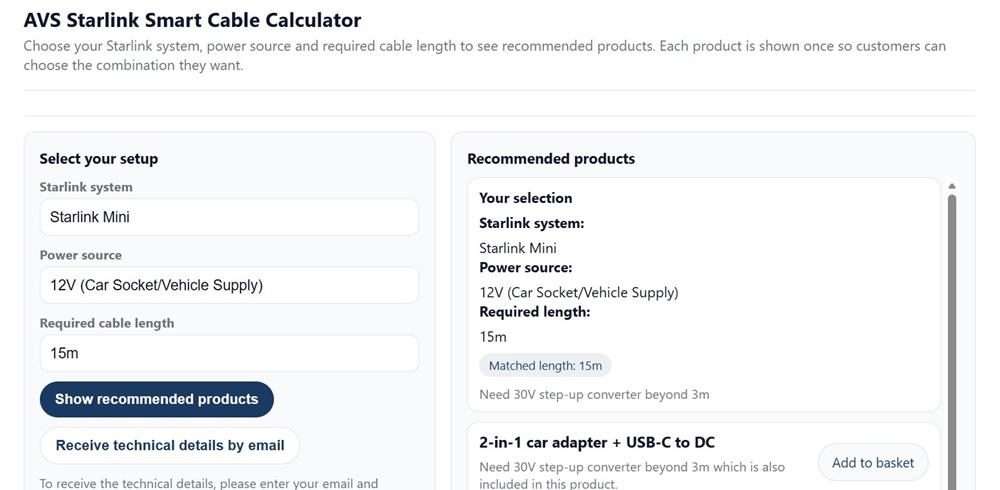
Starlink Mini selected with the 12V Car Socket/Vehicle Supply power source – one of several vehicle power options available in the calculator.
Step Three: Enter Your Required Cable Length
The third field asks for the cable length you need in metres. This is the one-way distance from your power source to your Starlink dish – not a round trip figure.
The most common mistake here is underestimating. People measure the straight-line distance and forget to account for the actual cable route – around corners, along ceiling edges, down wall cavities, across roof spaces, or through cable conduit. A run that looks like 8 metres in a straight line can easily be 14 or 15 metres once you follow the actual path the cable needs to take.
A few practical tips for getting this right:
Run a length of string or rope along the actual cable path before you measure. This gives you a real-world figure rather than an estimate. Then add around 10 to 15 percent as a buffer – you want enough cable to reach comfortably without pulling tight at either end.
For vehicle installs – caravans, motorhomes, trucks – remember to account for the run from the roof entry point down through the vehicle interior to wherever your power source sits. This is often longer than people expect.
Once you have a figure you are confident in, enter it into the calculator. The calculator works in metres and will match your input to the closest available Air Vision Systems cable length. If your exact length is not available as a standard product, the calculator will show you the next size up so you always have enough.
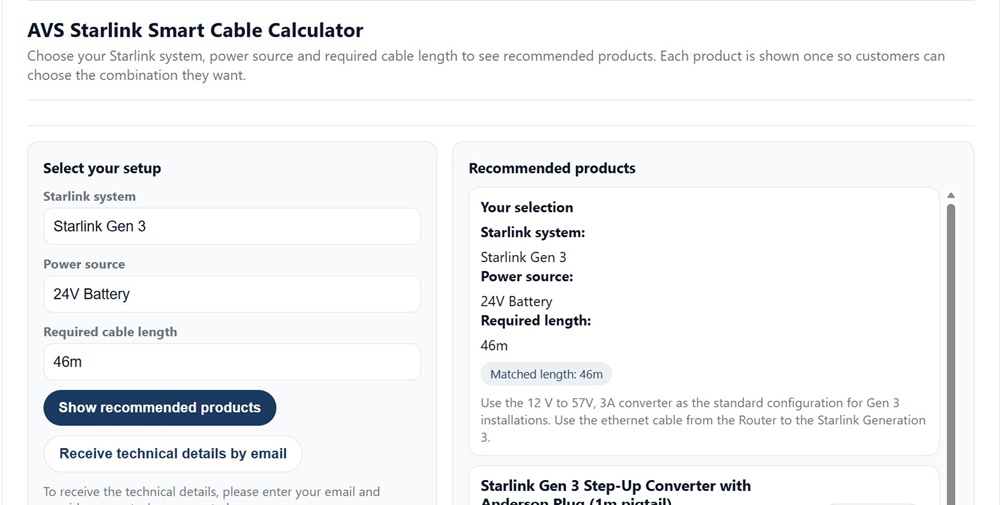
A 46 metre cable run entered into the calculator – the calculator will match this to the closest available cable length.
How to Read the Results
Once you click “Show recommended products”, the right-hand panel updates with your selection summary and the products Air Vision Systems recommends for your setup.
The results panel shows three things: a confirmation of your selections, a matched cable length, and the recommended products with an “Add to basket” button for each one.
Your selection summary
This is simply a repeat of what you entered – Starlink system, power source, and required length. It is worth taking a second to check this matches what you intended before looking at the product recommendations below it.
Matched length
The calculator confirms which cable length has been matched to your requirement. If you entered 15 metres and a 15 metre cable is available, it will show “Matched length: 15m”. If your entered length sits between two available sizes, it will match you to the next size up. You will never be matched to a cable shorter than what you asked for.
Technical notes
Depending on your power source and length combination, the results panel will sometimes include a short technical note explaining the recommendation. For example, if your setup requires a step-up converter to reach the correct operating voltage, the note will explain why and confirm the configuration is fully compliant under the 40W load criterion used in the Air Vision Systems engineering reports. These notes are worth reading – they tell you exactly what the calculator has determined about your setup and why.
Recommended products
Each product shown is a specific Air Vision Systems cable or accessory that is compatible with your selection. Products are shown once each so you can choose the combination that suits your install. Simply add what you need to your basket and proceed.
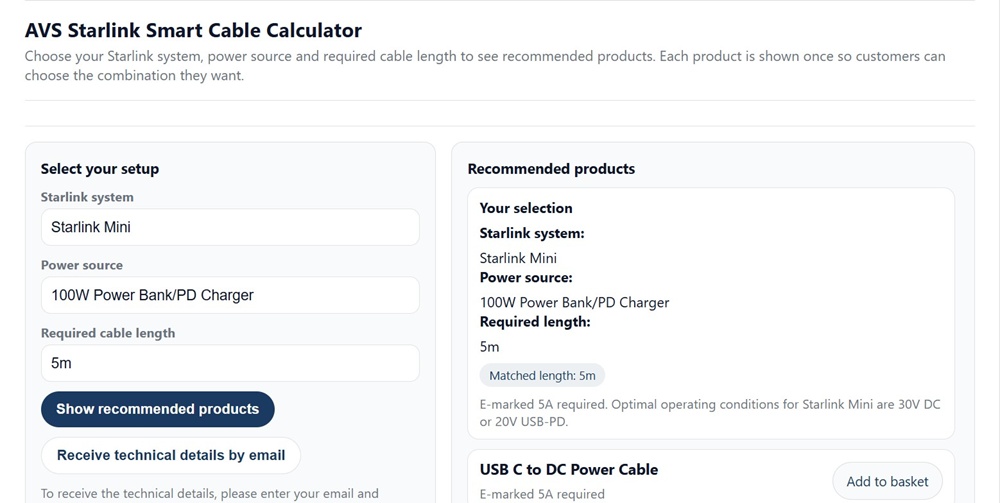
Results panel showing a Starlink Mini setup with a 100W Power Bank/PD Charger – the calculator confirms the matched length and recommends a USB-C to DC Power Cable.
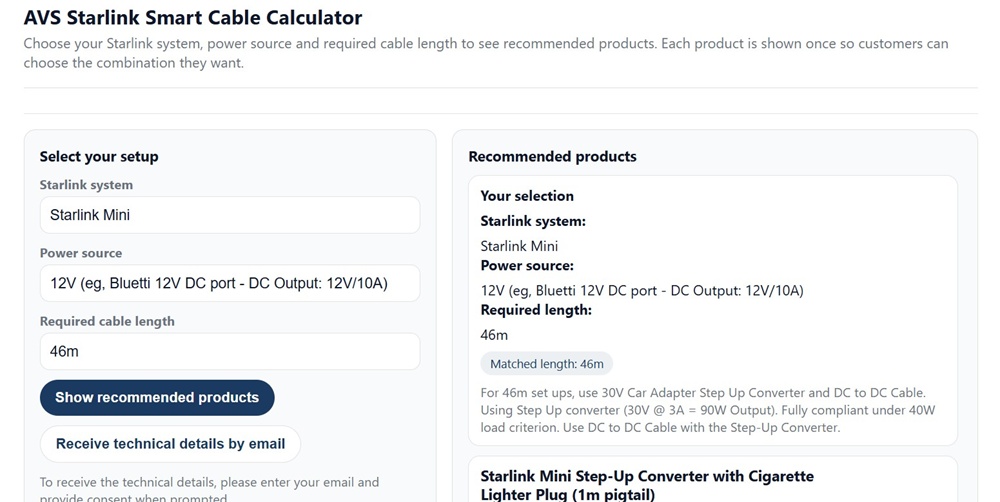
Results panel showing a Starlink Mini setup with a 12V Bluetti DC port at 46 metres – the calculator recommends a step-up converter solution with the technical explanation shown.
Did You Know?
The product recommendations in the Air Vision Systems Smart Cable Calculator are not based on guesswork. Every cable length limit and power source combination in the calculator is derived from engineering compliance reports produced by a registered electrical engineer. Those reports calculate voltage drop, current requirements, and safe operating limits for both Starlink Gen 3 and Starlink Mini across every supported power configuration – using the same standards referenced by professional electricians worldwide. Summary versions of these reports are available on the Air Vision Systems Engineering Reports page at airvisionsystems.co.nz/engineering-reports. Full reports may be available upon request under a non-disclosure agreement.
Ready to find the right cable for your Starlink setup?
The Air Vision Systems Starlink Smart Cable Calculator takes less than a minute to use. Select your Starlink model, your power source, and the cable length you need – and get an instant, engineering-backed recommendation.
Getting the Technical Details by Email
Below the main calculator inputs you will notice a button that reads “Receive technical details by email”. This is an optional feature that sends you a summary of the technical specifications behind your cable recommendation – the voltage drop calculations, current figures, and compliance notes drawn from the Air Vision Systems engineering reports.
It is not required to use the calculator or place an order. But if you are an installer, an electrician, or someone who wants documented evidence that their Starlink power setup meets the correct electrical standards, it is worth using.
The technical detail email gives you something you can file away with your install documentation – a record showing that the cable length and power configuration you have chosen has been assessed against the 90% voltage retention criterion used in the Air Vision Systems compliance reports. For commercial installs or any situation where you need to demonstrate due diligence, that is a genuinely useful document to have.
To receive it, click the button and enter your email address when prompted. You will need to provide consent as noted on the page. The calculator will then send the relevant technical breakdown for your specific selection.
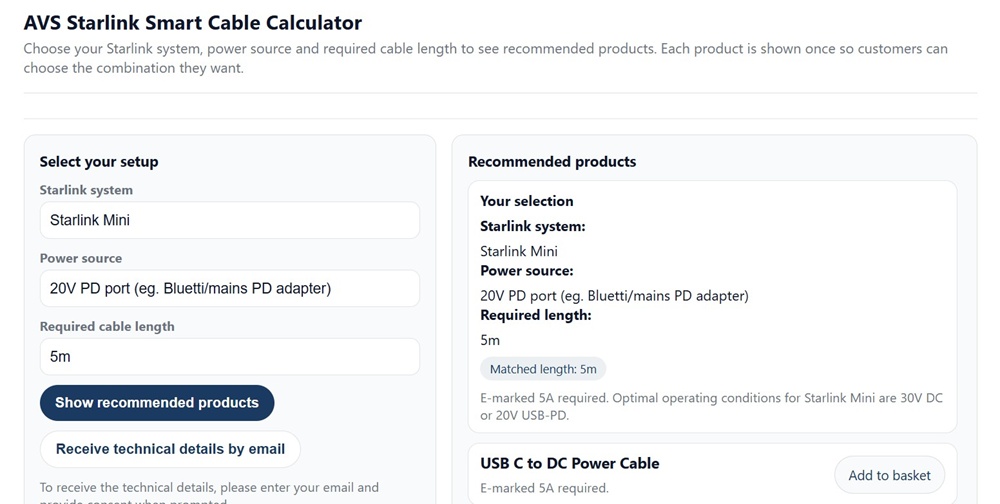
The “Receive technical details by email” button shown below the calculator inputs – available after your selection is made.
Add the AVS Cable Calculator to Your Website
If you run a website that serves Starlink users, you can embed the Air Vision Systems AVS Starlink Smart Cable Calculator directly on your own pages. The calculator stays hosted and maintained by Air Vision Systems – you simply add a short snippet of code to your site and it loads automatically for your visitors.
This is genuinely useful for a wide range of websites – Starlink installers, caravan and motorhome dealers, off-grid solar retailers, RV accessory stores, marine electronics suppliers, and Starlink community blogs. If your audience is asking questions about Starlink cabling and power, having the calculator on your own site gives them an immediate answer without sending them elsewhere to find it.
How to embed it
The embed code is available directly on the Air Vision Systems calculator page at airvisionsystems.co.nz/calculator. The three steps are straightforward.
First, copy the iframe code from the snippet box on the calculator page. Second, paste it into your website using an HTML block, embed block, or custom code section – whichever your website platform uses. Third, save and publish your page. The calculator will load and work immediately.
The embed is fully responsive. It adjusts automatically for desktop, tablet, and mobile screens so it will look correct on any device without any additional configuration on your end.
The calculator remains securely hosted by Air Vision Systems and cannot be independently replicated or hosted elsewhere. Any updates Air Vision Systems makes to the calculator – new products, new power source options, updated recommendations – will appear automatically on your embedded version without you needing to change anything.
If you are an installer or retailer interested in embedding the calculator as part of a wider partnership with Air Vision Systems, details on the wholesale and partner program are available at airvisionsystems.co.nz/wholesale-enquiries.
Frequently Asked Questions
Does the calculator work for both Starlink Gen 3 and Starlink Mini?
Yes. The Air Vision Systems Starlink Smart Cable Calculator covers both Starlink Gen 3 and Starlink Mini. The two models have different power requirements and supported voltage inputs, so the calculator treats them separately and returns recommendations specific to whichever model you select. Make sure you choose the correct model in the first field to ensure the results are accurate for your setup.
What if my exact cable length is not available as a standard product?
If the length you enter does not match a standard Air Vision Systems cable size exactly, the calculator will match you to the next available size up. You will never be recommended a cable that is shorter than your stated requirement. If you are unsure of your exact length, it is always better to enter a slightly longer figure and account for the actual cable route rather than the straight-line distance.
Can I use the calculator if I am powering my Starlink from a portable power station like a Bluetti?
Yes. The calculator includes power source options for portable power stations across a range of output voltages and connection types – including 12V DC ports, 24V DC ports, 30V regulated outputs, and 20V USB-C Power Delivery ports. Select the option that matches the specific output port you are using on your power station. If you are unsure which port to use, check the label on the unit or refer to the manufacturer specifications for your model.
Is the calculator free to embed on my website and are there any conditions?
Yes, the embed is free to use. The Air Vision Systems calculator page at airvisionsystems.co.nz/calculator provides the iframe code and instructions. The main condition is that the calculator must be embedded using the provided code and cannot be independently hosted or replicated. The calculator remains hosted and maintained by Air Vision Systems, which means any updates to products or recommendations will appear automatically on your embedded version. If you are interested in embedding it as part of a wider installer or retail partnership, details are available at airvisionsystems.co.nz/wholesale-enquiries.
What happens if I select the wrong power source – will the calculator still give me a safe recommendation?
The calculator will return a recommendation based on whatever you select, so it is important to enter your actual power source accurately. If you select a power source that does not match your real setup, the recommended cable or accessory may not be correct for your install. If you are unsure what voltage your power source outputs, check the label on your adapter, converter, or power station – the output voltage is almost always printed directly on the unit. Selecting the right power source is the single most important step in getting an accurate result from the calculator.
Start Using the Calculator
The Air Vision Systems AVS Smart Cable Calculator is designed to take the guesswork out of one of the most common Starlink installation problems – figuring out which cable and power accessories you actually need. Whether you are setting up a Starlink Gen 3 on a boat, running a Starlink Mini from a portable power station in a campervan, or planning a long cable run on a commercial vehicle, the calculator gives you an answer you can trust in under a minute.
The recommendations are not arbitrary. They are built on engineering compliance reports produced by a registered electrical engineer, calculated to ensure your setup delivers stable, sufficient power to your dish at whatever distance and voltage your situation requires. That engineering foundation is what separates the Air Vision Systems calculator from a basic product filter.
If you run a website serving Starlink users, the free embed option means you can offer the same tool to your own audience – with zero maintenance on your end and automatic updates whenever Air Vision Systems adds new products or configurations.
Ready to get started?
Use the calculator now to find the right cable for your Starlink setup or browse the full range of Air Vision Systems cables at airvisionsystems.co.nz/cables.